0.13.0-beta
Summary
Release
https://github.com/polkadot-live/polkadot-live-app/releases/tag/v0.13.0-beta
New Features
- Chain event subscriptions
- Chain, account, and referenda-scoped subscriptions
- Events UX
- Category-based UI
- Clear all events
- Event data dialog
- Infinite scrolling
- Improved RPC reliability
- Automatic RPC endpoint failover
- Persistent API connections
- Reconnect dialog
- Staking API optimizations
- OpenGov improvements
- Manage referenda dialog
- Non-blocking referenda loading
- Send improvements
- A more refined step-by-step flow
- UI improvements
- Check latest release
- Default account bookmarks
- Lazy camera permission
- Open tab menu
- Side navigation
- Architecture and fixes
Chain Event Subscriptions
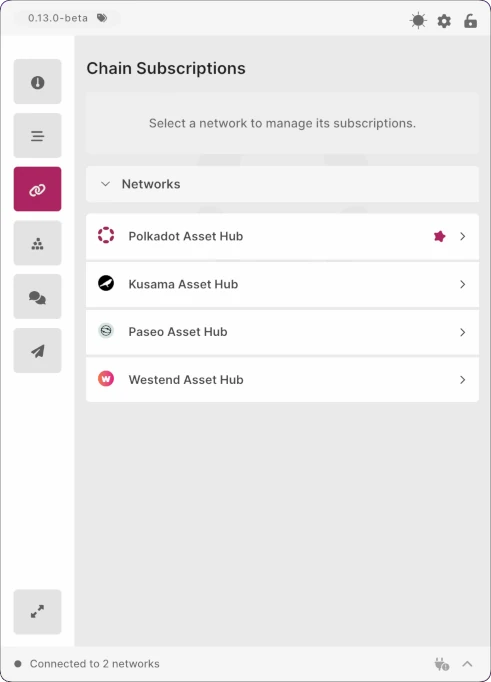
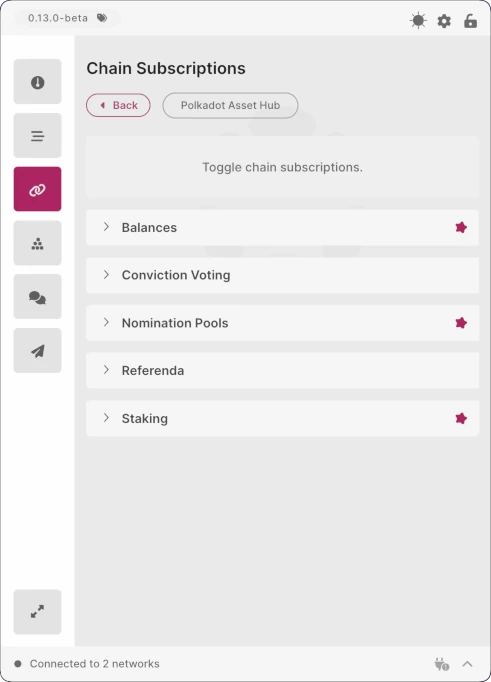
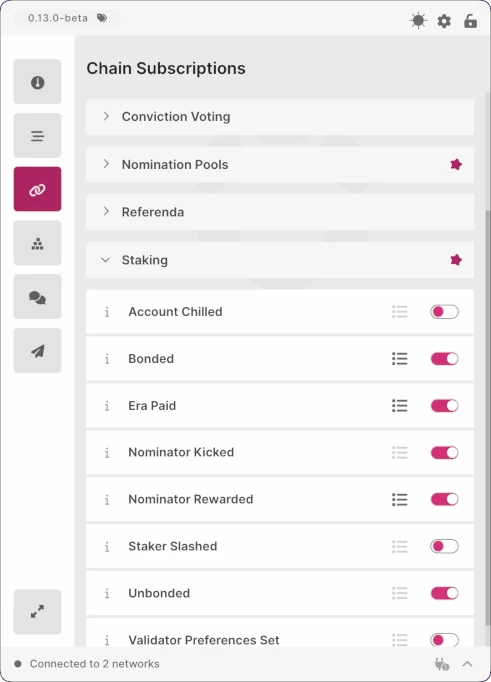
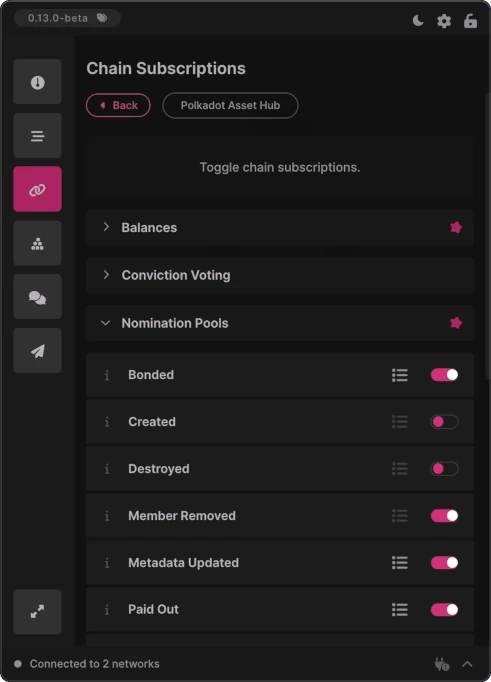
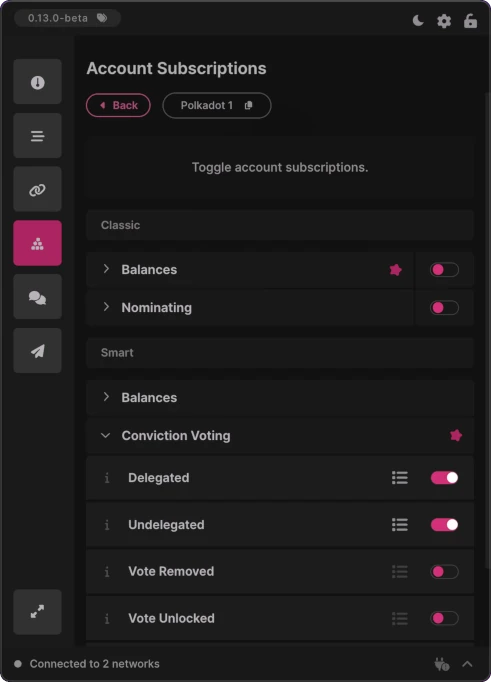
This release introduces chain event subscriptions, a new real-time subscription system that notifies users when specific events are detected on the blockchain. Supported on Polkadot, Kusama, Paseo, and Westend Asset Hub networks, these subscriptions allow users to receive in-app events—and optionally native OS notifications—as soon as matching events occur. New subscriptions are grouped under “Smart”, while existing one-shot and legacy subscriptions are grouped under “Classic” . All received events are shown in the Events screen.
Chain-Scoped
Chain-scoped subscriptions allow users to subscribe to specific event types occurring anywhere on the blockchain. When the subscribed-to event is received from the network, an application event is dispatched immediately, providing real-time visibility into chain-level activity.
Account-Scoped
Account-scoped subscriptions filter chain events to those involving a specific account. This includes events related to balances, conviction voting, and staking. Unlike chain-scoped subscriptions, events are only dispatched when the subscribed account is directly involved, ensuring notifications are targeted and relevant.
Referenda-Scoped
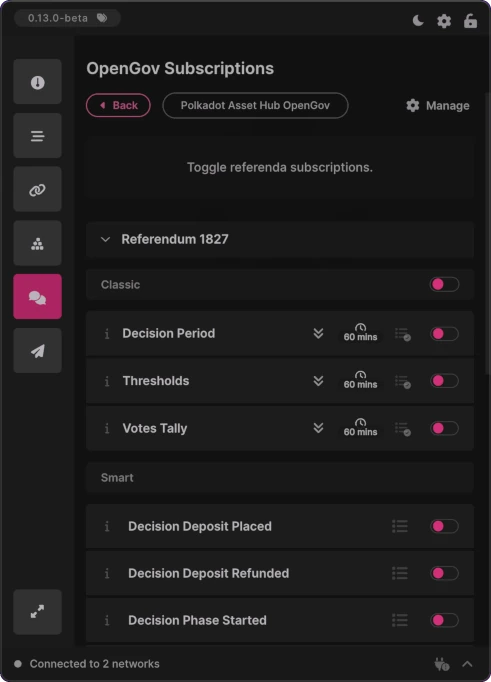
Referenda-scoped subscriptions allow users to track individual referenda throughout their lifecycle. Events are dispatched for key stages—such as decision deposit placement, the start of decision or confirmation periods—and for updates targeting specific referenda, making it easy to monitor governance activity in real time.
Merged PRs
View Merged PRs
Events UX
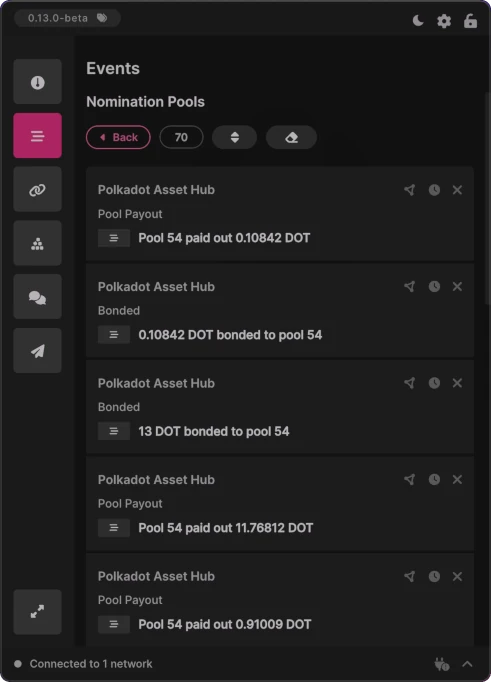
This release introduces several Events UX and performance improvements, making it easier to browse, manage, and inspect dispatched events. Updates include a category-based UI, infinite scrolling for better performance, bulk event management actions, and a new dialog for inspecting detailed event data.
Category-Based UI
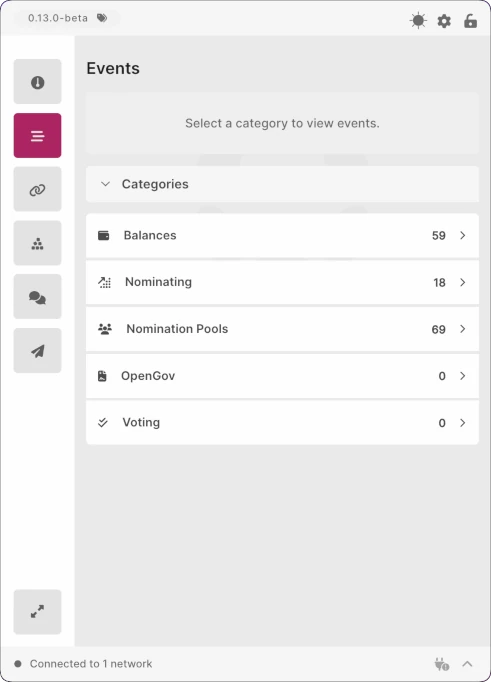
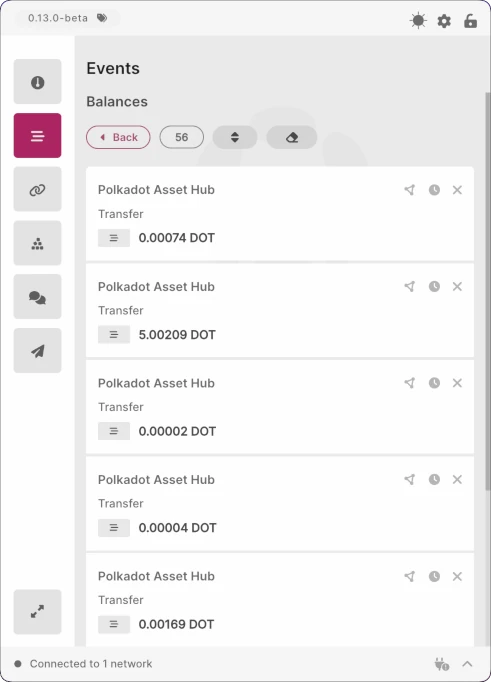
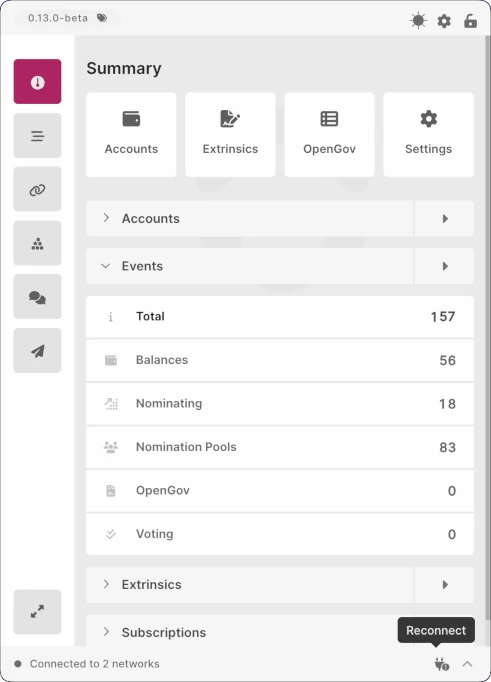
Events are now grouped by category on the Events screen, with each category displaying the total number of dispatched events. Supported categories currently include Balances, Nominating, Nomination Pools, OpenGov, and Voting. Selecting a category shows its events in newest-first order, making recent activity easy to find.
Clear All Events
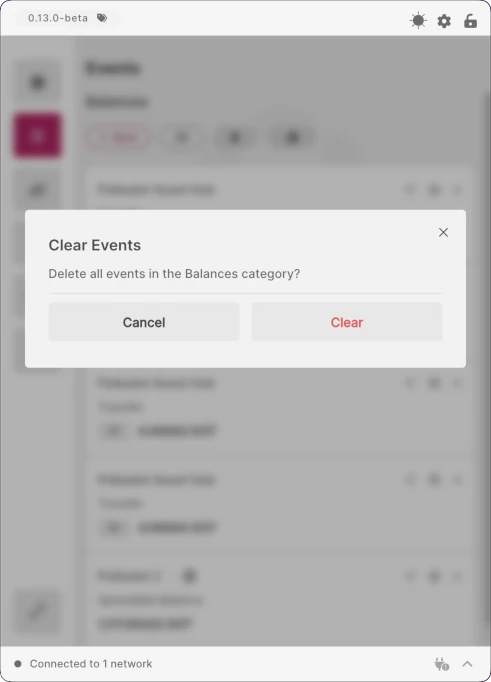
A new Clear Events button has been added to event listing screens, allowing users to delete all events within a category at once. This removes the need to clear events individually, while a confirmation dialog ensures events are not deleted accidentally.
Event Data Dialog
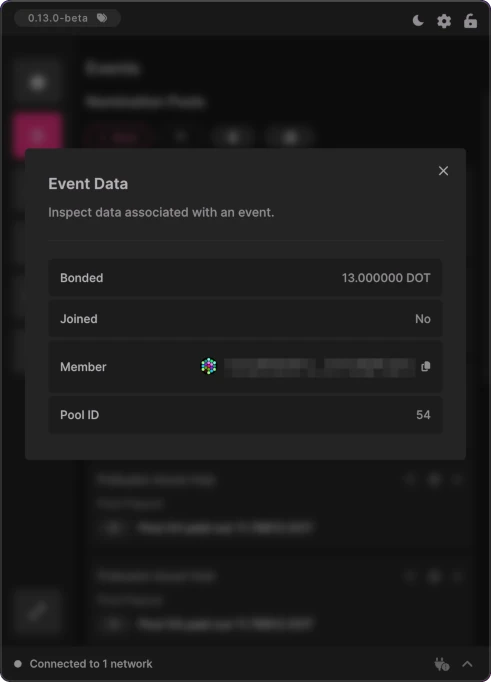
An Event Data dialog is now available for inspecting detailed information about any event. Accessible via the Event Data button on each event item, the dialog displays granular, formatted data such as addresses, balances, numbers, and boolean values. This makes it easy to review details like transfer amounts, sender and recipient addresses, bonded funds, and validator or nomination pool activity for all chain event subscriptions.
Infinite Scrolling
Infinite scrolling has been added to improve performance and browsing experience. Event lists initially load a small batch of items, with additional events fetched automatically as the user scrolls. Events are loaded and rendered in batches, maintaining smooth performance until all events in the selected category are displayed.
Merged PRs
View Merged PRs
Improved RPC Reliability
This release significantly improves RPC reliability and network resilience by introducing persistent API connections, automatic endpoint failover, and better visibility into connection status. Together, these changes reduce connection drops, improve recovery from network issues, and make RPC behavior more transparent to the user.
Automatic RPC Endpoint Failover
Automatic RPC endpoint failover is now supported. When an RPC endpoint cannot be reached, Dedot automatically selects an alternative endpoint to establish the connection. Failover is handled internally by Dedot and applies to Auto RPC connections (random endpoint selection). Light Client connections using smoldot is also supported.
Persistent API Connections
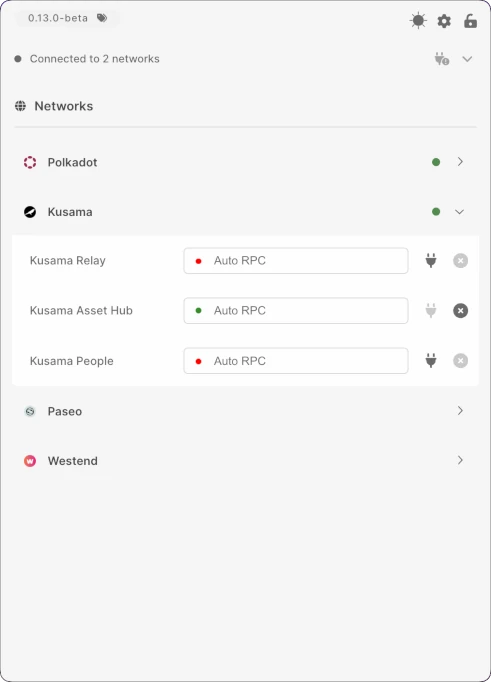
API connections are now persistent and remain open, reducing unnecessary reconnects and improving overall stability. Users can still manually close unused connections when needed. Active network connections are shown in the app footer, with a green indicator for connected networks and an orange warning icon when a connection attempt fails.
Reconnect Dialog
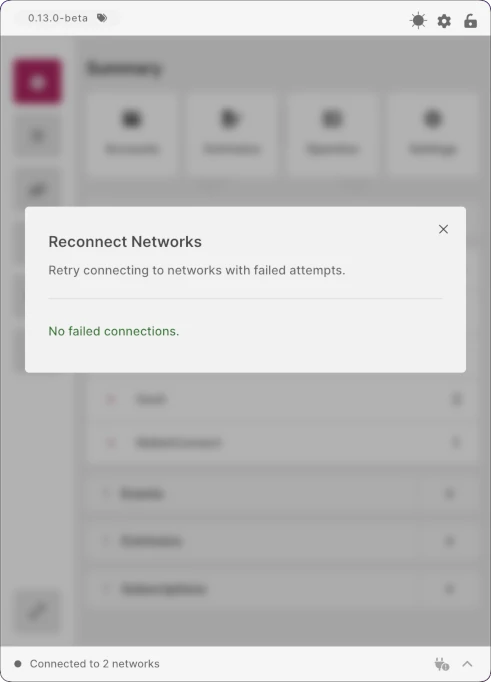
A new Reconnect dialog automatically appears when one or more RPC network connections fail, including on app startup if failures are detected. The dialog lists all failed connections and provides a one-click option to retry each connection. It can also be opened at any time via the new footer icon, and clearly indicates when there are no failed connections.
Staking API Optimizations
Staking-related APIs have been optimized to improve performance and efficiency. Network calls are now batched and executed asynchronously where appropriate, reducing the total number of RPC requests and improving responsiveness for operations such as calculating account exposure in a given era.
Merged PRs
View Merged PRs
OpenGov Improvements
This release delivers UX and UI improvements to OpenGov features, focusing on faster, non-blocking referenda loading and a simplified, more scalable subscription workflow. New dialogs and interaction patterns make it easier to manage referenda and stay informed about on-chain governance activity.
Manage Referenda Dialog
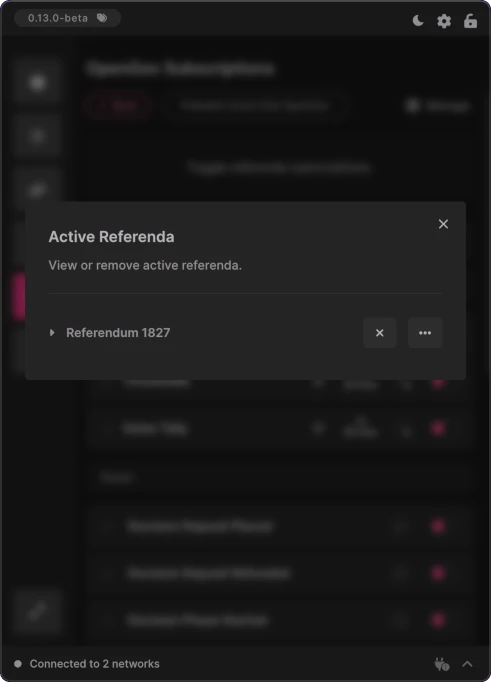
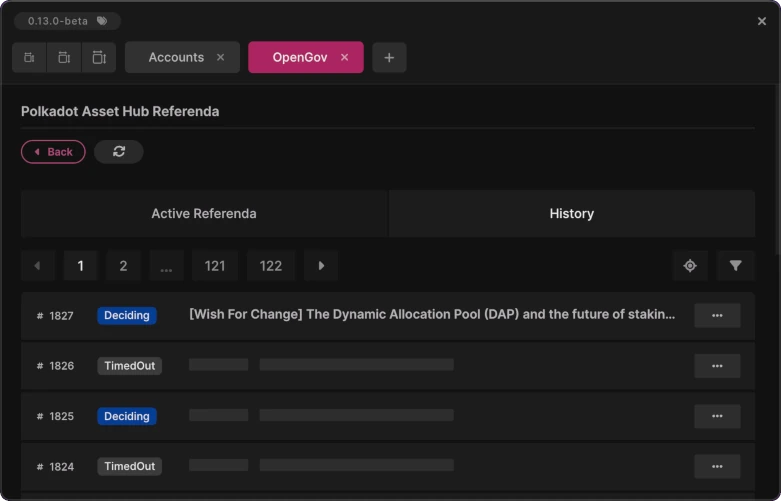
A new Manage Referenda dialog has been added and is accessible from the referenda subscriptions screen via the Manage button. The dialog lists all referenda added to the main window and provides actions to remove them or navigate directly to OpenGov portals for deeper inspection. Removing a referendum requires confirmation to prevent accidental changes. Additionally, each added referendum now exposes its associated chain event subscriptions, allowing users to receive on-chain events for that specific referendum.
Non-Blocking Referenda Loading
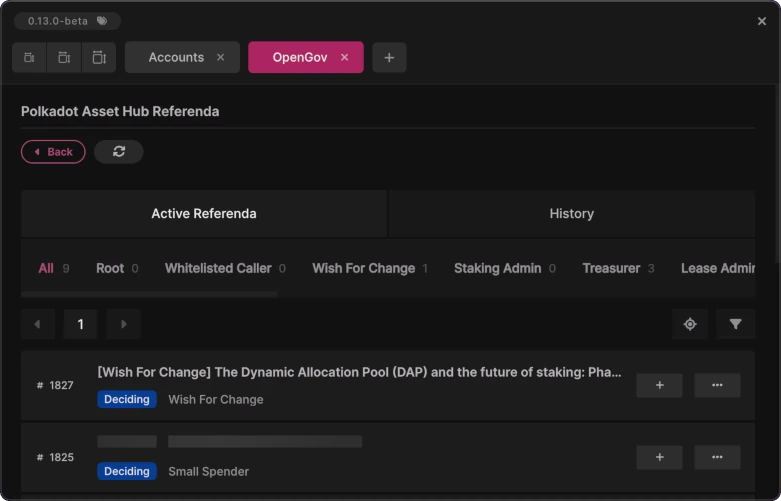
Referenda are now loaded asynchronously, eliminating UI blocking during data fetches. Each referendum displays a loading placeholder while it is being fetched, with titles appearing as soon as they become available. Users can freely navigate away from the screen while referenda continue loading in the background, resulting in a significantly smoother and more responsive experience.
Merged PRs
View Merged PRs
Send Improvements
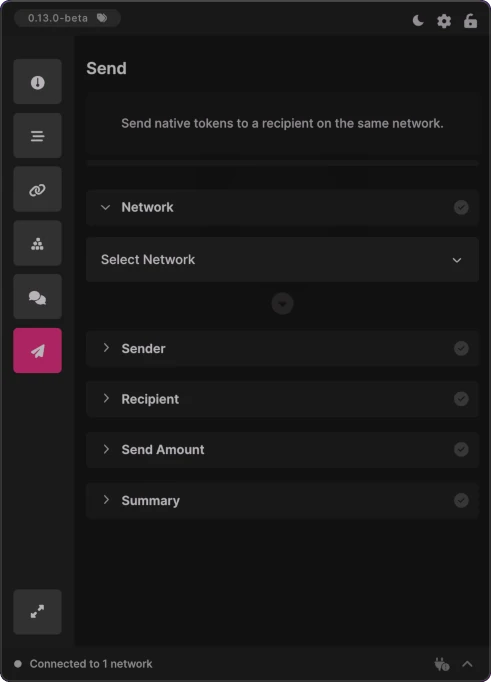
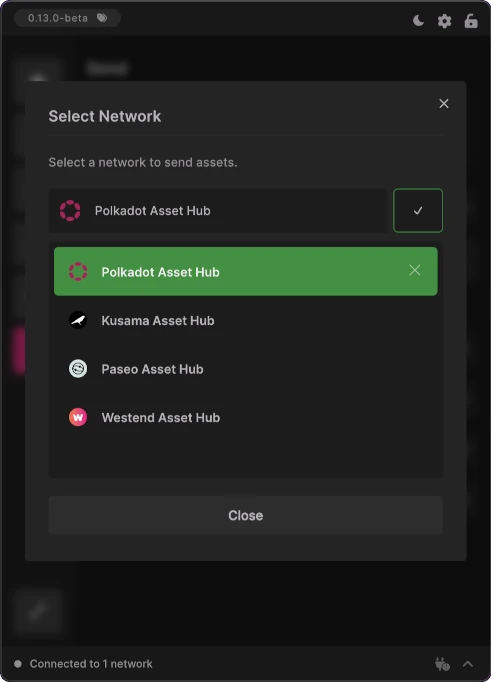
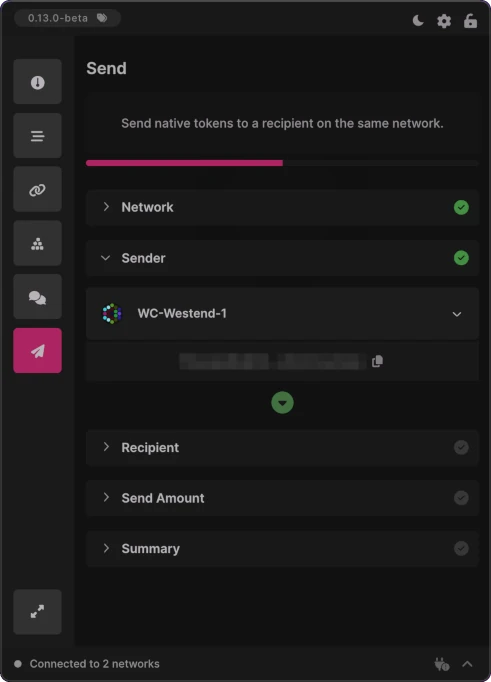
The Send screen has been improved to provide a clearer and more streamlined transfer experience. A new network selection step is now the first stage of the flow, allowing users to choose the blockchain on which they want to send the native token. Once a network is selected, available senders and recipients are automatically filtered to match that network.
The send flow is now fully step-based, requiring each step to be completed before moving on to the next. This release also expands network support by adding the Paseo Asset Hub, alongside Polkadot, Kusama, and Westend Asset Hubs.
Merged PRs
View Merged PRs
UI Improvements
This release includes several additional UI improvements focused on usability, discoverability, and reducing unnecessary friction. Updates streamline account management, navigation, permissions handling, and access to app information.
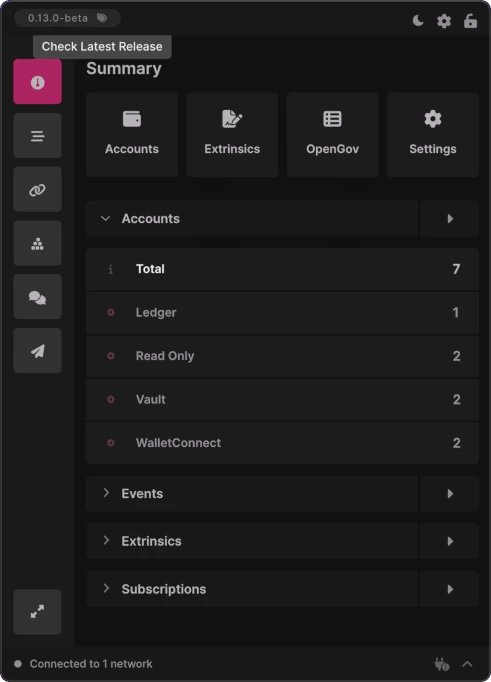
Check Latest Release
A new Check Latest Release button has been added next to the version badge in the header. Clicking this button takes the user directly to the latest release page on GitHub, making it easy to review release notes and updates.
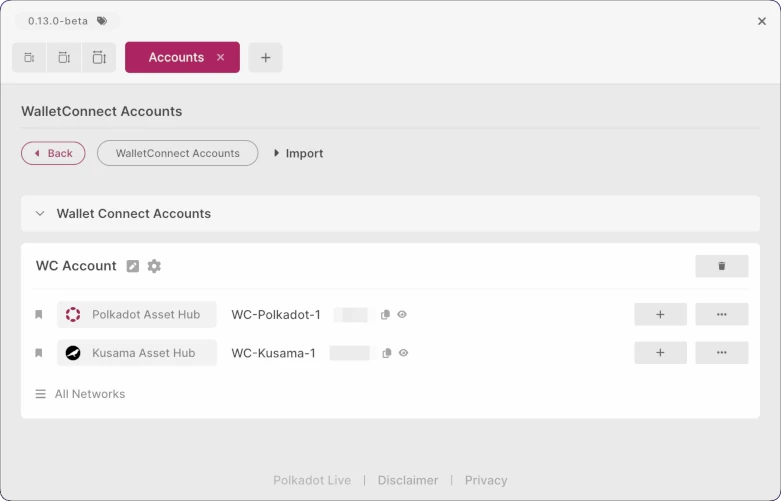
Default Account Bookmarks
When an account is imported, its Polkadot and Kusama encoded addresses are automatically bookmarked, making it faster to set up subscriptions for these networks. Additional network addresses can still be bookmarked via the Manage Accounts dialog. An All Networks button has also been added to the bottom of the bookmarks list, which opens the Manage Accounts dialog for managing all supported network accounts and bookmarks in one place.
Lazy Camera Permission
Camera permission requests are now shown only when required, such as when importing an address or signing an extrinsic with Polkadot Vault. This lazy permission flow avoids unnecessary prompts and improves overall user experience.
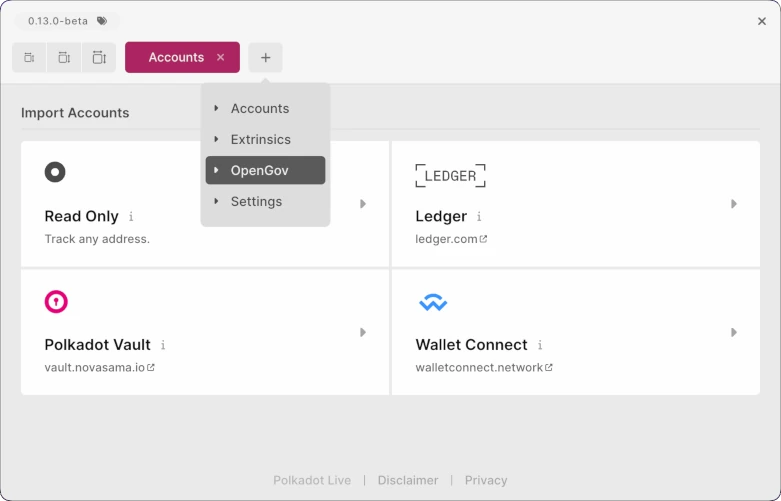
Open Tab Menu
A new Open Tab button has been added to the tabs row, allowing users to open tabs directly in the tabbed window interface. A dropdown menu lists all available tabs, including Accounts, Extrinsics, OpenGov, and Settings, making tab navigation more flexible and efficient.
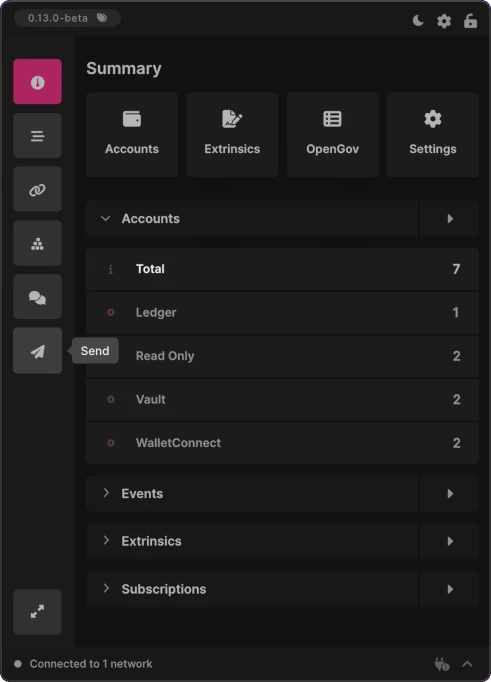
Side Navigation
The side navigation bar is now collapsed by default to reduce visual clutter. Tooltips are displayed on hover to clearly indicate each destination, ensuring navigation remains intuitive while maximizing available screen space.
Merged PRs
View Merged PRs
- feat(accounts): default bookmarks for imported accounts #1123
- feat(extension): add dropdown to open tabs in tabs header #1125
- chore(architecture): unify tab views into a single renderer #1136
- chore(ui): layout and text tweaks #1138
- feat(ux): lazy camera permission #1146
- feat(ui): add tooltip to collapsed side nav items #1151
- feat(ui): copy address button on account subscriptions screen #1155
- feat(ui): check latest release button #1157
Architecture and Fixes
This release includes a range of bug fixes and architectural improvements that enhance overall stability, performance, and maintainability.
Merged PRs
View Merged PRs
- fix(ui): classic subscription switch toggle lag #1129
- fix(bootstrapping): fix issues in bootstrap initialization process #1130
- fix(backups): data import processes #1137
- chore(electron): migrate main process to esm #1140
- chore(deps): remove polkadot utils packages #1141
- fix(build): contexts package out-of-memory #1148
- fix(ui): polishing tasks #1150
- fix(ui): state syncing and refactors #1154
- chore(dx): developer config improvements #1158
- chore(deps): bump dependencies #1159
- fix(ui): polish #1161